UX & workflows
Structured how catalogue, assets, metadata, and monitoring relate as one operations path.
OTT · operations
A command center for OTT content and advertising operations—dashboards, catalogues, video assets, metadata, and ingest / distribution monitoring. I contributed UX, interface design, and frontend work in Figma, HTML/CSS/JavaScript, collaborating with engineering.
 View full size
OTT operations rarely live on one surface. Teams need content catalogues, video assets, metadata, and ingest / distribution status in view together—so advertising and content work can move without losing operational context.
When those pieces sit in disconnected views, it is harder to see what is ready, what is blocked, and what needs the next action.
I contributed UX and interface design for operational dashboards, catalogues, assets, metadata configuration, and monitoring—working in Figma and HTML/CSS/JavaScript with engineering.
Structured how catalogue, assets, metadata, and monitoring relate as one operations path.
Designed dashboard and configuration views that keep hierarchy, status, and next actions readable.
Implemented and handed off interface structure in Figma and HTML/CSS/JavaScript with engineering.
The product material frames operations around catalogues, assets, metadata, and ingest / distribution monitoring. The illustrative sequence below follows that path: bring assets in, configure metadata, then monitor status—matching the command-center navigation pattern already used on the site (Catalogue · Assets · Ingest · Monitor).
Illustrative workflow
HTML/CSS process graphic—shows how content moves through the key operations stages.
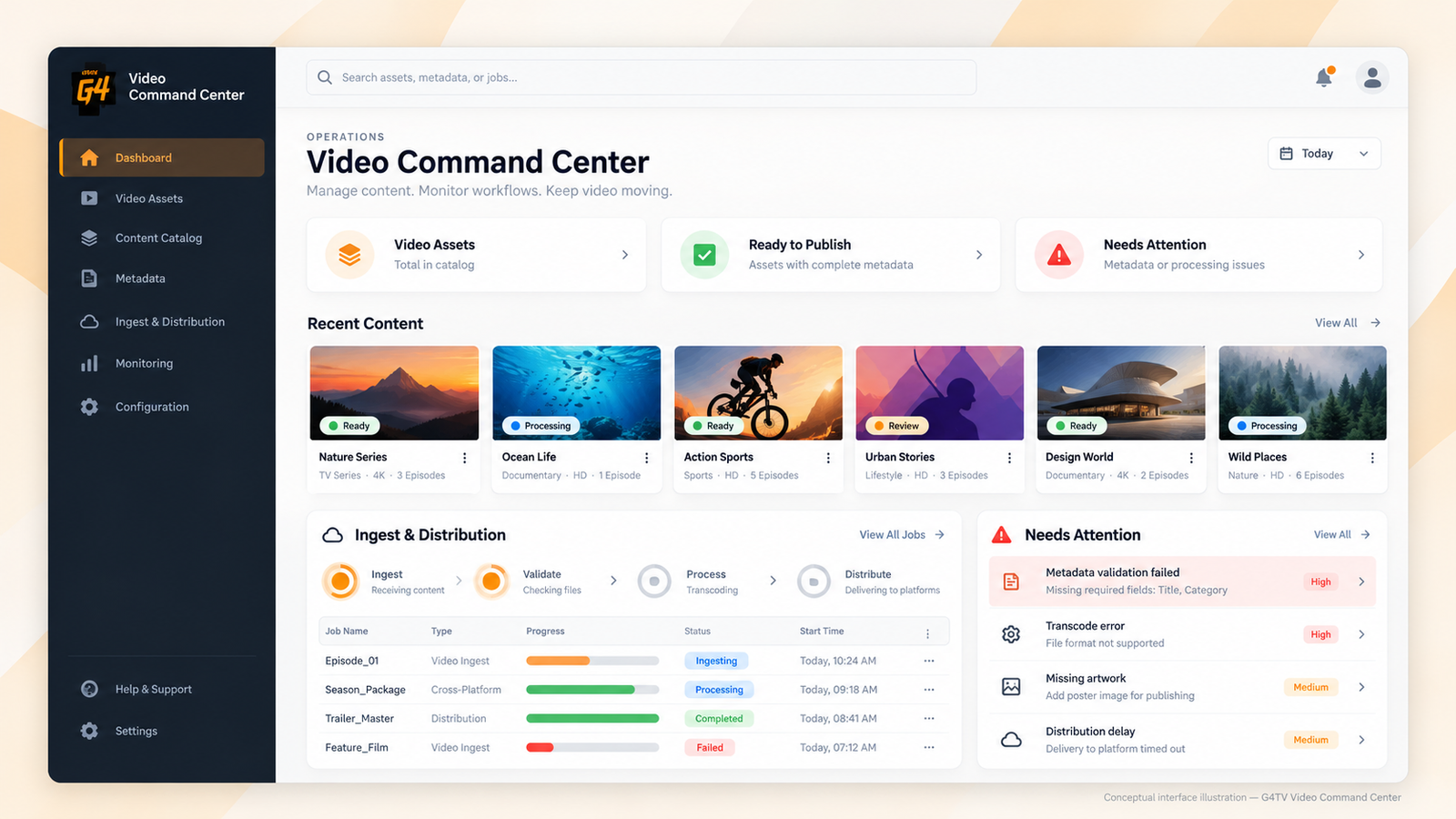
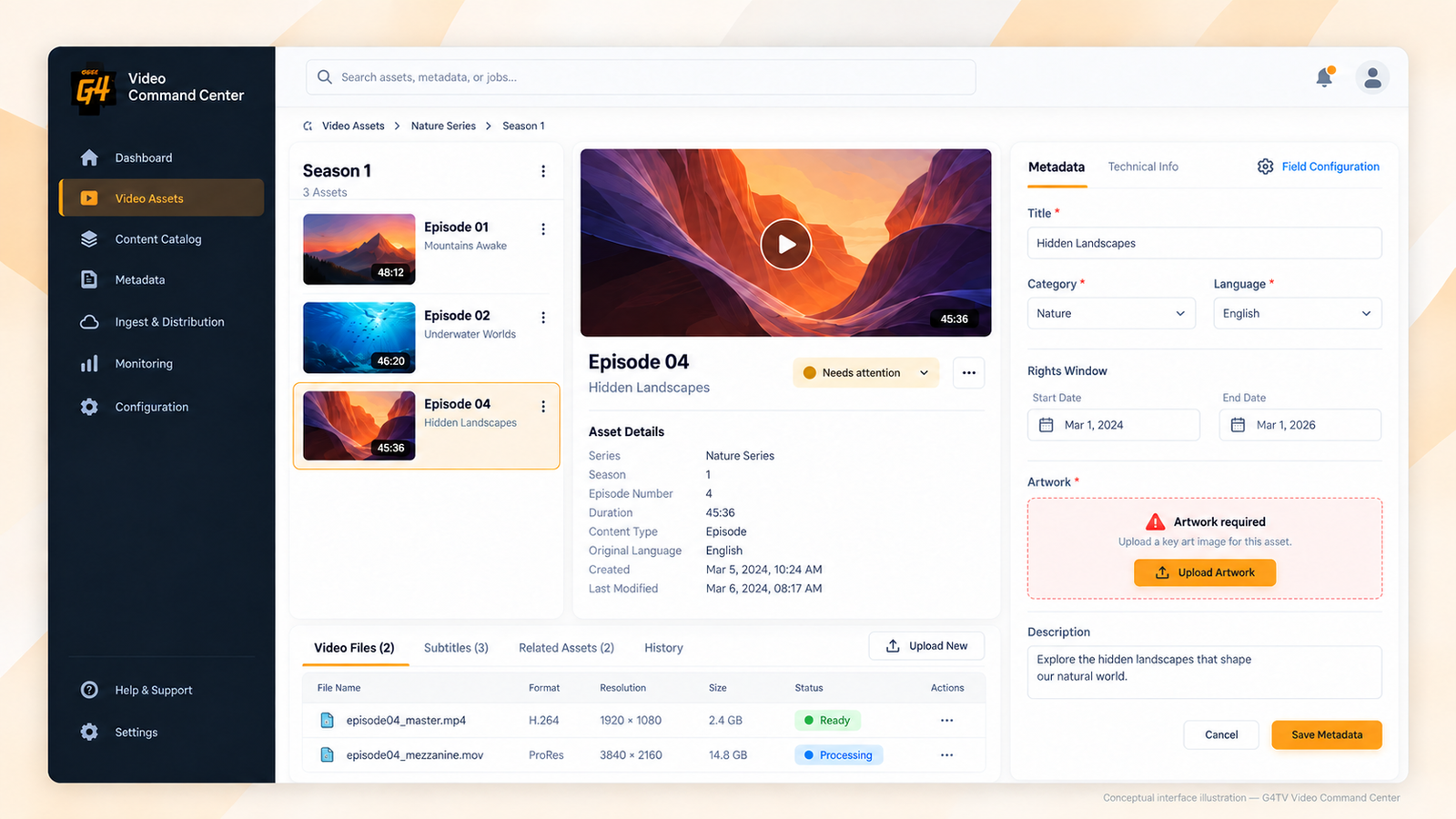
Dashboard visibility and metadata configuration were treated as linked parts of one operational workflow—scan status in the catalogue, then open configuration when detail is needed.
Dashboard visibility
View full size
Metadata configuration
 View full size
Catalogue and overview sit above detail, so operators scan the set before opening a single asset.
Ready, ingest, and review states stay visible beside content so operational health is not buried in detail screens.
Configuration and monitoring actions sit next to the content they affect, so the next step is obvious from the current view.
The work produced interface designs and frontend structure for Video Command Center operations—dashboards, catalogues, assets, metadata configuration, and monitoring—ready for engineering collaboration through Figma and HTML/CSS/JavaScript.
Explore other studies or discuss a similar engagement.