UX & flows
Structured onboarding, topic discovery, and paths toward support options and profiles.
Mental health · mobile
A mental health mobile app for exploring support and connecting with professionals.
 View full size
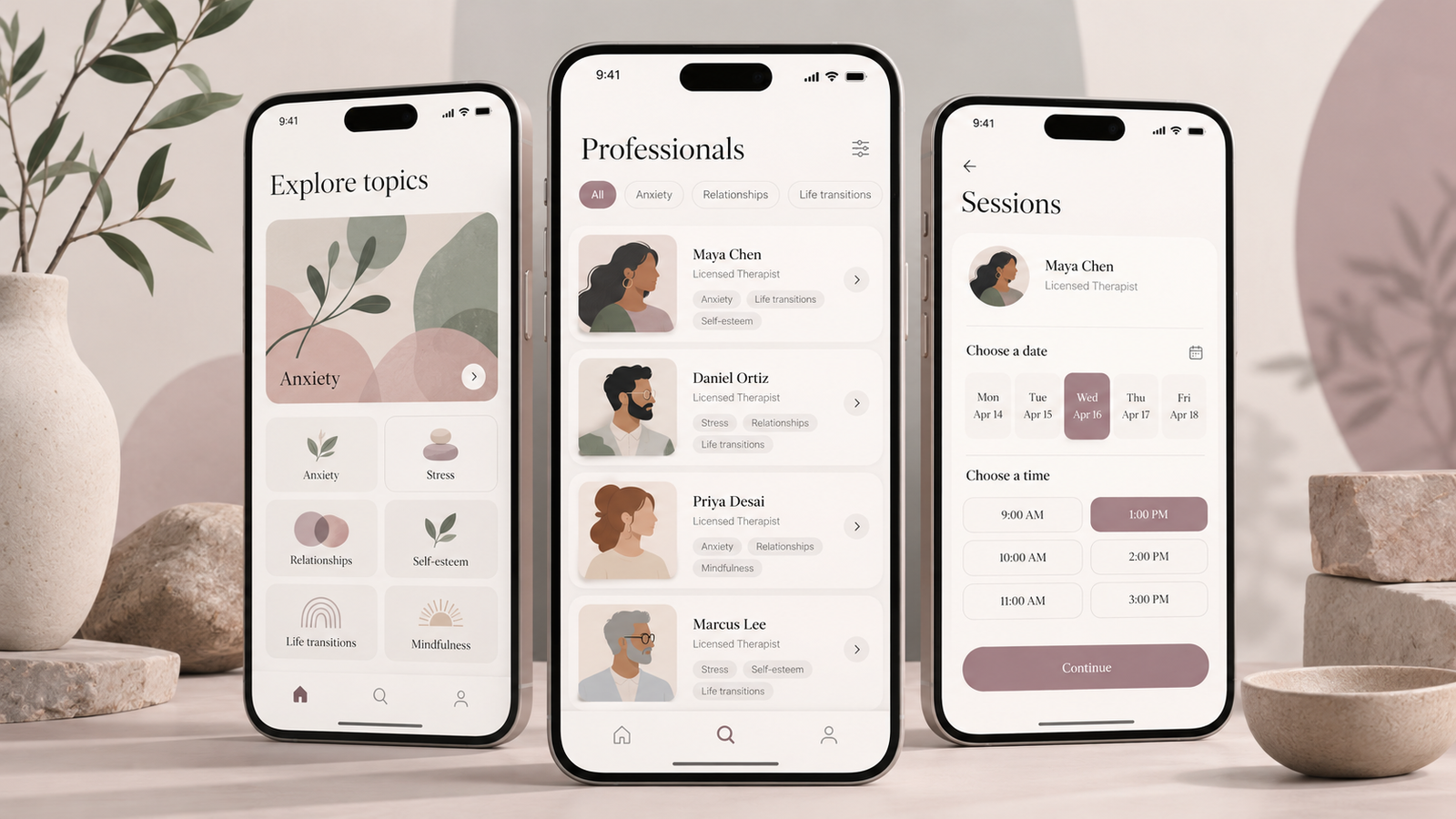
Oizys helps people explore mental health support and connect with professionals. The experience covers onboarding, topic discovery, professional profiles, appointment availability, and sessions.
Finding a relevant path can feel crowded quickly. Topic lists, support options, and professional detail compete for attention—and too much at once makes the next step harder to choose.
I contributed UX and interface design for Oizys in Figma, with shared documentation for product and engineering collaboration.
Structured onboarding, topic discovery, and paths toward support options and profiles.
Designed calm mobile screens that keep hierarchy and choices readable.
Worked in Figma with shared documentation for product and engineering.
The cover shows a short path: explore a topic, review support options, then open a profile. The illustrative sequence below follows that same order.
Illustrative path
HTML/CSS illustration of how someone can move through the key screens shown on the cover.
The cover’s three screens guided the decisions: keep hierarchy light, keep the presentation calm, and make each choice obvious before the next screen.
Topics come first, then support options, then profile detail—so someone scans before committing to a deeper screen.
Soft colour, generous spacing, and restrained cards reduce visual noise while someone decides what to explore.
Support options and profile actions stay few and labelled, so the next step is visible without competing CTAs.
The work delivered interface designs and shared documentation for Oizys—covering topic discovery, support options, professional profiles, and related session flows—for collaboration with product and engineering in Figma.
Explore other studies or discuss a similar engagement.