Layout UX
Designed how uploaded floor plans serve as the canvas for configuration work.
Facility layout · configuration
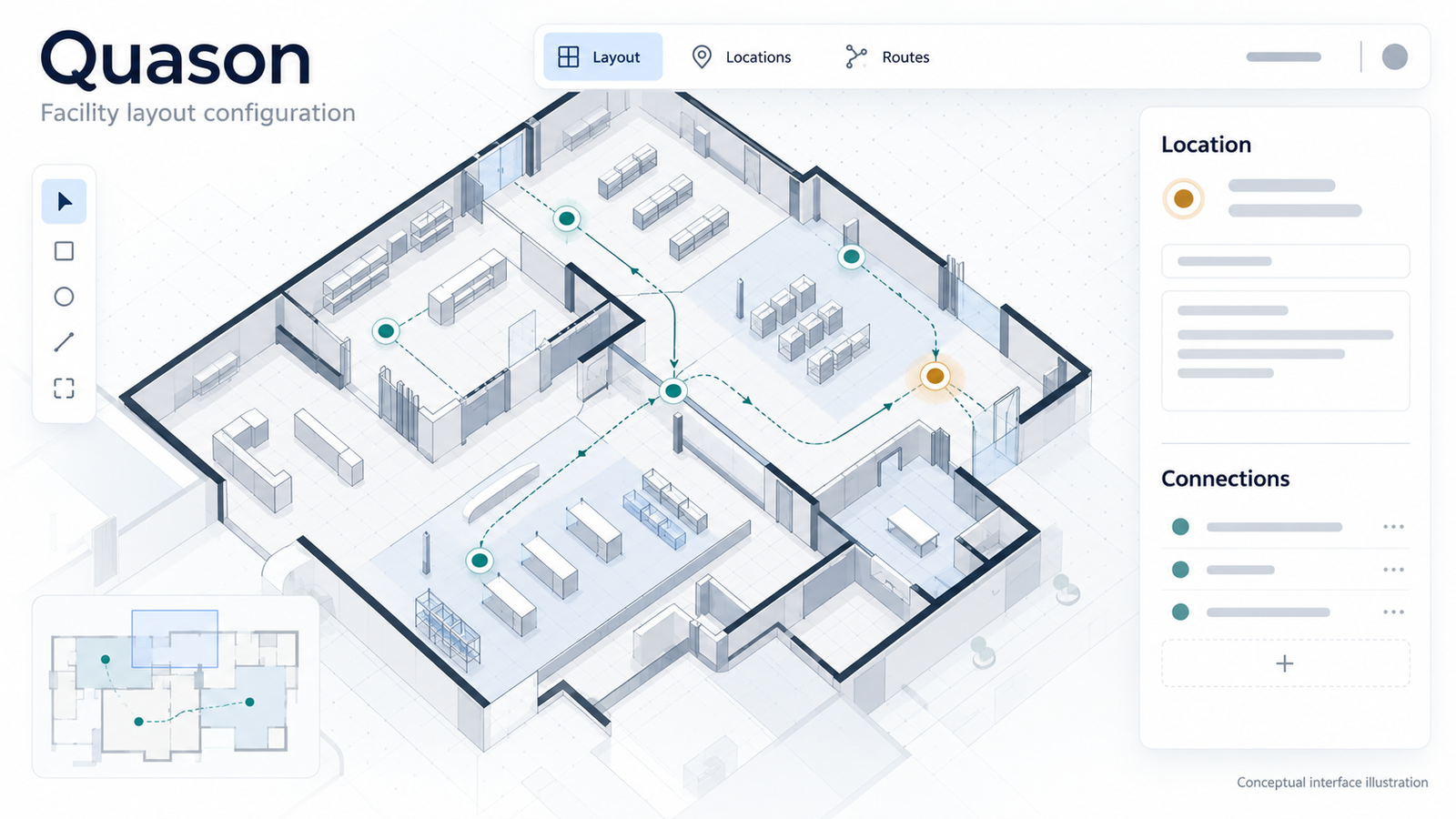
Visual facility layout configuration for floor plans, mapped locations, and vehicle and load movement.
 View full size
Quason supports visual facility layout configuration. Uploaded floor plans become the canvas; locations and connections are mapped on that layout; properties describe vehicle and load movement.
Configuring a facility layout means holding several decisions at once: where things sit on the plan, how they connect, and which movement properties apply. Without clear structure, the canvas, markers, and property editors compete for attention.
I worked on UX and interface design for Quason in Figma, with HTML/CSS reference modules and collaboration with product.
Designed how uploaded floor plans serve as the canvas for configuration work.
Structured placing, identifying, and linking locations on the layout.
Designed property editing for vehicle and load movement, with Figma and HTML/CSS reference modules for product collaboration.
Layout, location, and property decisions sit in one configuration loop. The illustration below shows how those pieces relate—not a product walkthrough.
Illustrative relationship
HTML/CSS explanation of how the floor-plan canvas, mapped points, and editable properties connect.
01 · Layout
Floor-plan canvas
Uploaded plan sets the spatial context for everything that follows.
02 · Location
Place & connect
Identify points on the plan and show how they connect to each other.
03 · Properties
Edit movement detail
Edit vehicle and load movement properties for the selected location or connection.
Decisions stayed close to the cover’s idea: keep the plan readable, make selection obvious, and keep property editing beside the spatial context—without repeating the illustration.
The uploaded floor plan stays the main surface so placement and connections are always judged against real space.
Active locations use a clear highlight so it is obvious which point owns the properties being edited.
Vehicle and load movement fields sit next to the selection, so edits stay tied to the mapped location and its connections.
The work delivered interface designs and reference modules for Quason’s layout configuration—covering floor-plan canvases, mapped locations and connections, and vehicle/load movement properties—for collaboration with product in Figma and HTML/CSS.
Explore other studies or discuss a similar engagement.