UX & workflows
Structured hiring flows so pipelines and records stay usable across recruitment roles.
Recruitment · dashboards
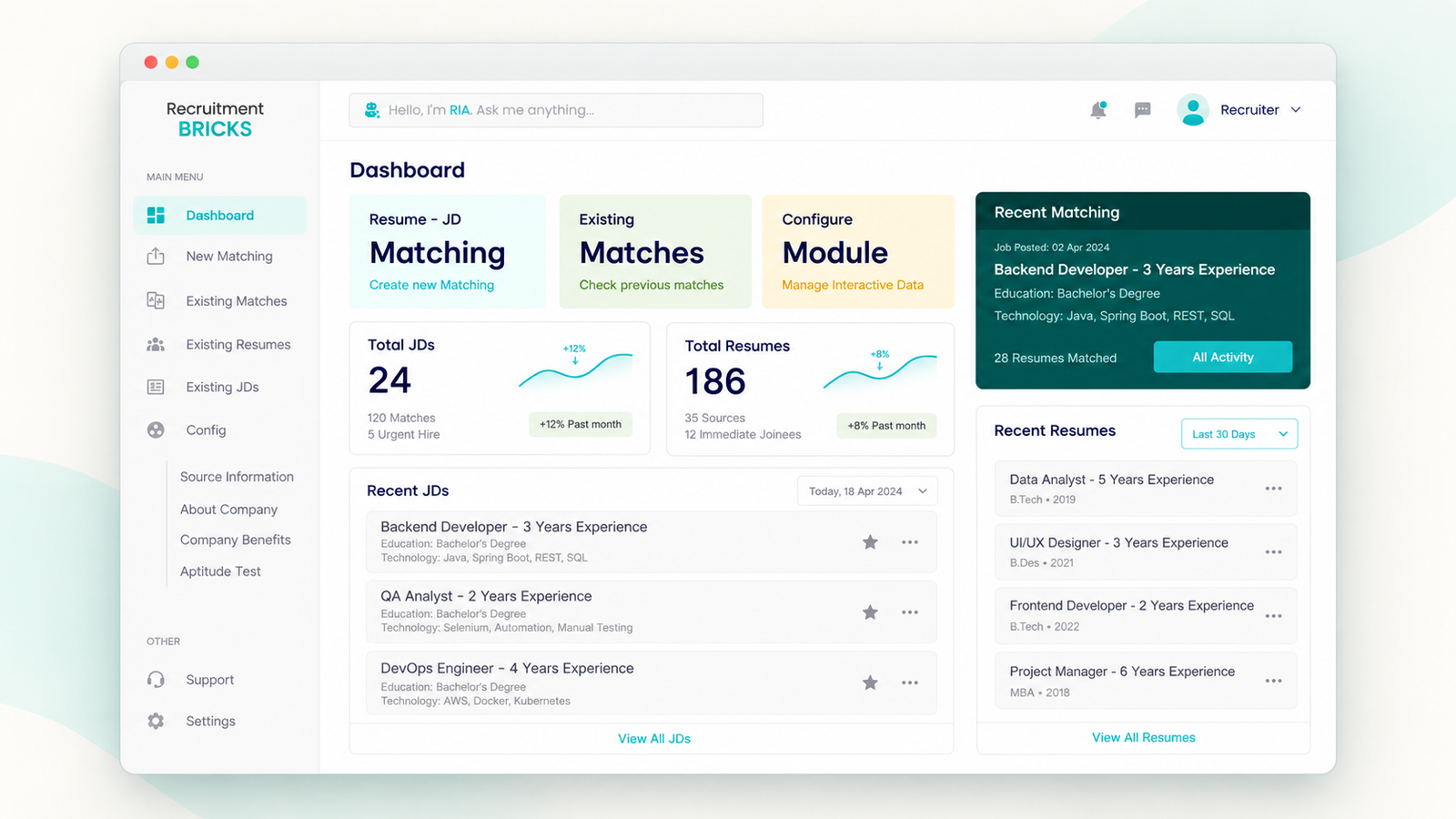
Recruitment workflows, candidate pipelines, detailed records, and role-specific dashboards for hiring teams.
 View full size
Hiring work rarely stays on one screen. Recruiters move between role requirements, incoming résumés, match comparisons, and individual candidate details.
When those views feel disconnected, comparison slows down and important context is easy to lose between list and detail.
I contributed UX and interface design for recruitment workflows, candidate pipelines, detailed records, and role-specific dashboards—working in Figma with design tokens and collaborating with engineering on frontend-ready structure.
Structured hiring flows so pipelines and records stay usable across recruitment roles.
Designed dashboards and detail views that keep comparison and inspection in a clear hierarchy.
Used Figma and design tokens so interface decisions could move cleanly into engineering collaboration.
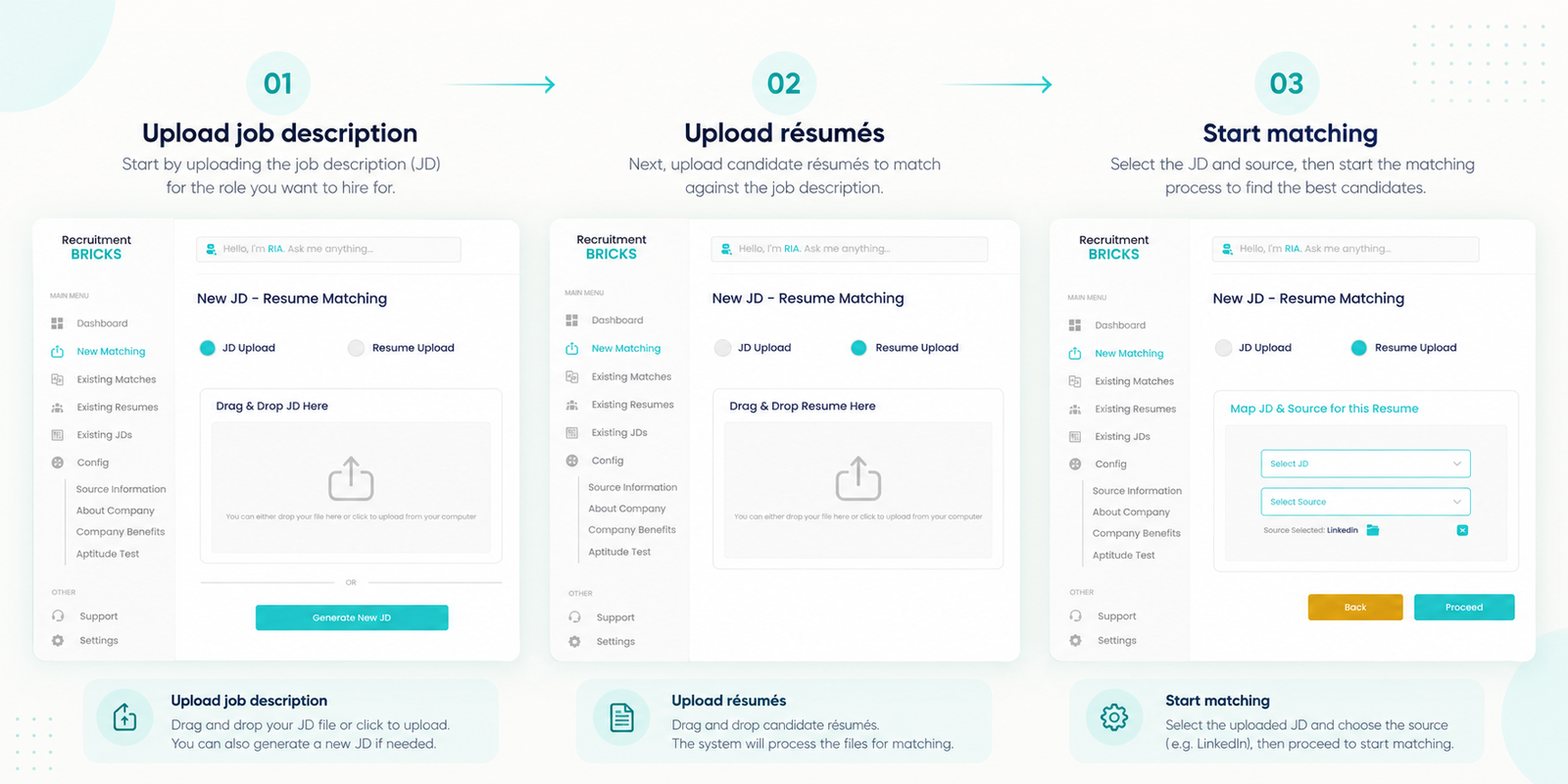
The annotated matching flow keeps role input, résumé intake, and match setup in one sequence—then comparison and closer candidate review follow as the next beat.
 View full size
01
Start from the role brief so matching has explicit criteria.
02
Bring candidate files into the same flow as the JD.
03
Map the JD and source, then run the match.
04
Compare matches, then open candidate detail when needed.
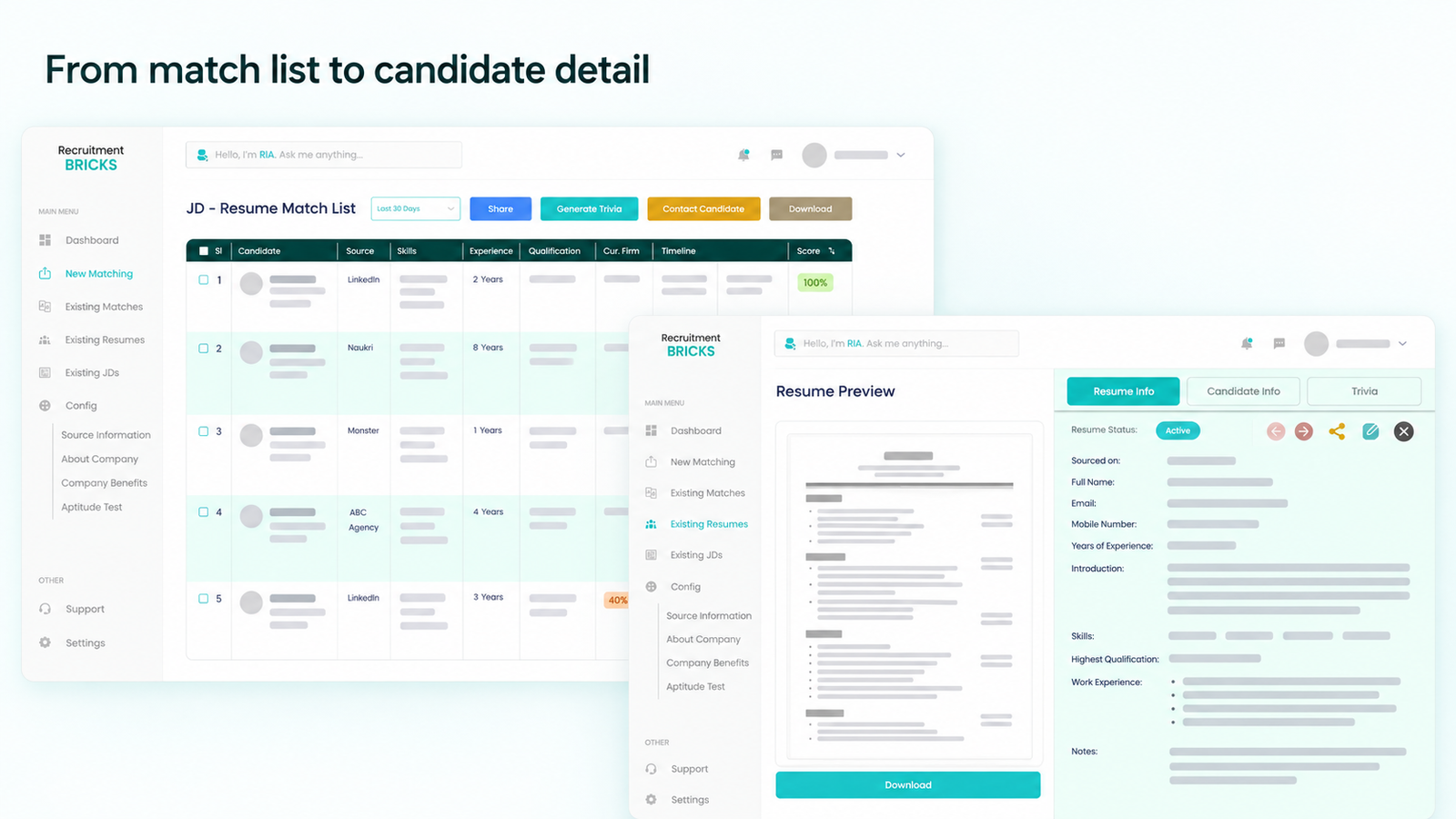
Comparison and inspection were treated as one continuous path: scan the match list, then open a closer résumé and candidate view when more detail is needed.
 View full size
The match list keeps skills, experience, and fit signals visible side by side before opening detail.
A résumé preview and candidate record sit one step away, so deeper review does not break the hiring flow.
The work produced interface designs and workflow structure for recruitment pipelines, detailed candidate and requisition records, and role-specific dashboards—ready for engineering collaboration through Figma and design tokens.
Explore other studies or discuss a similar engagement.